
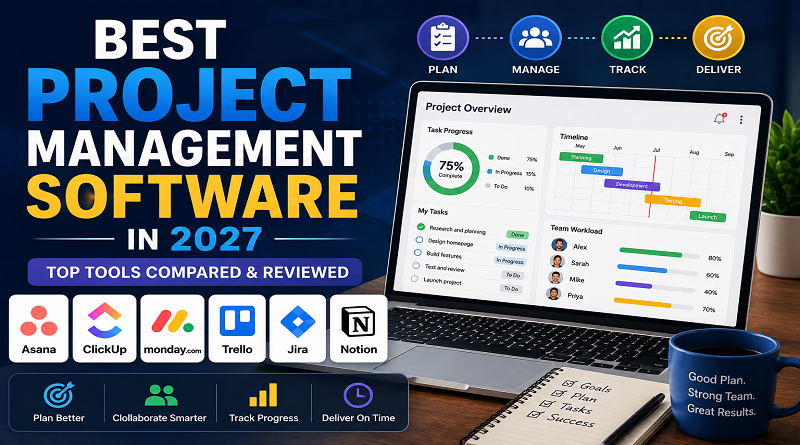
Best Project Management Software in 2027
Every team eventually hits the same wall: sticky notes, a shared spreadsheet, and a Slack channel called #urgent-stuff stop being enough. Deadlines start slipping through the cracks, nobody’s sure who owns what, and status updates turn into a meeting that could’ve been a glance at a dashboard.
That’s the exact problem project management software solves – one shared source of truth for what’s being worked on, who’s doing it, and when it’s due. The hard part isn’t deciding whether you need one. It’s picking the right one, because “best” depends entirely on how your team actually works, not which tool has the longest feature list.
This guide breaks down the strongest options in 2027 – including the ClickUp vs Asana debate that comes up in basically every comparison thread – so you can pick with confidence instead of trial-and-erroring your way through three free trials. (For more software comparisons like this one, see our software hub.)
How to Think About This Before You Pick
Before the list – one framing that saves a lot of wasted evaluation time: project management tools split roughly into “structured and simple” versus “flexible and all-in-one.” Neither is objectively better. One trades some customization for a gentler learning curve; the other trades some simplicity for the ability to configure almost anything.
Figure out which side of that line your team leans toward before you start comparing feature checklists – it narrows the field fast.
- Asana – Best for Clean, Guided Project Management
Asana has built its reputation on being the tool that doesn’t fight you. The interface is clean, onboarding walks you through templates and setup, and the overall experience feels structured without feeling rigid. Guest accounts let external clients or contractors see specific tasks without a full license, which is genuinely useful for agencies.
Its automation (“Rules”) is straightforward – assign a task when it moves to a new column, notify someone when a deadline passes – and covers most marketing, product, and operations workflows without heavy configuration. Built-in AI features can draft workflows, summarize tasks, and generate status updates, and Asana’s AI is particularly strong at flagging which projects are at risk of missing goals or which team members are approaching overload.
The tradeoff: that simplicity comes at a price. Asana’s per-seat cost runs noticeably higher than ClickUp at scale, and its feature depth for pure software development work falls short of tools built specifically for engineering teams.
Pricing: starts around $10.99/user/month on the first paid tier; free plan available for small teams with limited features.
Best for: cross-functional teams (marketing, product, ops) that want reliability and a short ramp-up time over maximum customization.
- ClickUp – Best All-in-One Workspace
ClickUp’s pitch is ambitious: replace your task manager, document hub, chat platform, and whiteboard tool all at once. It leans into flexibility – nested subtasks, custom statuses, multiple assignees per task, and dozens of view types (list, board, calendar, Gantt, and more) so teams can shape it around however they already work rather than adapting to a fixed structure.
Automation is where ClickUp pulls ahead technically – it supports nested conditions, cross-list triggers, and custom webhooks, which means power users can build genuinely sophisticated workflows. The catch is right there in that sentence: anything beyond a simple status trigger requires someone comfortable with conditional logic.
The tradeoff: flexibility has a cost, and it’s paid in onboarding time. ClickUp’s feature-dense environment has a real learning curve, and user reviews consistently mention it takes time to get comfortable with the sheer number of options. Performance can also slow down in large, heavily customized workspaces.
Pricing: starts around $7/user/month – lower than Asana at entry level. Free plan available.
Best for: teams that want maximum configurability and are willing to invest setup time upfront, especially if budget is a real constraint.
ClickUp vs Asana: The Short Version
This is the single most-searched comparison in the category, so here’s the direct answer: choose Asana if you want a polished, guided experience your whole team can pick up quickly. Choose ClickUp if you want more customization headroom and a lower starting price, and you’re comfortable with (or excited by) a steeper learning curve.
A useful way to decide: think about who will actually configure the tool. If that’s a dedicated, technically comfortable admin, ClickUp’s ceiling is higher. If setup and maintenance will fall to whoever has five spare minutes, Asana’s guardrails will save you more time than ClickUp’s extra features will earn you.
- Monday.com – Best for Visual, Flexible Workflows
Monday.com positions itself as a “Work OS” – a visual, highly adaptable base that can be shaped into a CRM, a content calendar, a hiring tracker, or classic project management, depending on how a team sets it up. Its board-and-column visual style resonates strongly with people who think in spreadsheets, and creative teams and operations groups tend to feel at home in it quickly.
Best for: cross-functional teams that value visual clarity and flexible board structures over the more opinionated workflows of Asana or the raw configurability of ClickUp.
Pricing: starts around $9–12/user/month depending on tier; free plan available for very small teams.
- Jira – Best for Software Development Teams
Jira is the standard-bearer for Agile software teams, and for good reason – it’s purpose-built around sprints, backlogs, story points, and the specific ceremonies engineering teams run. If your “projects” are actually software releases with tickets, branches, and code reviews attached, nothing on this list matches Jira’s depth for that specific workflow.
The tradeoff: Jira is noticeably less approachable for non-technical teams, and like Asana, it typically needs a half- to full-time dedicated admin to manage configuration at scale in larger organizations.
Pricing: starts around $7.75–8/user/month; free tier available for very small teams.
Best for: engineering and product teams running Agile/Scrum workflows – a poor fit for marketing, ops, or client-facing teams.
- Trello – Best for Simplicity and Small Teams
Trello popularized the visual card-and-board (Kanban) approach, and it remains the simplest, fastest tool to actually start using – no onboarding curve, no configuration decisions to agonize over. For small teams or straightforward workflows (content calendars, simple task tracking, a solo founder’s to-do list), that simplicity is a genuine feature, not a limitation.
The tradeoff: Trello scales poorly for complex, multi-team projects. Once you need dependencies, robust reporting, or resource management across many projects at once, you’ll likely outgrow it.
Pricing: generous free tier; paid plans start around $5–6/user/month.
Best for: small teams, solo users, and simple workflows that don’t need heavy automation or reporting.
- Notion – Best for Docs + Light Project Management Combined
Notion isn’t a dedicated project management tool first – it’s a flexible workspace for docs, wikis, and notes that happens to include capable task and project tracking. For small teams that want project tracking living alongside meeting notes, internal documentation, and a knowledge base, rather than in a separate app entirely, Notion is a strong fit.
The tradeoff: its project management features are genuinely good for small-to-medium complexity but don’t match dedicated tools like Asana or ClickUp for large-scale, multi-team project portfolios.
Pricing: free for individuals; team plans start around $10/user/month.
Best for: small teams and startups that want one workspace for both documentation and lightweight project tracking.
| Tool | Best For | Starting Price | Learning Curve |
|---|---|---|---|
| Asana | Clean, guided PM for cross-functional teams | ~$10.99/user/mo | Low |
| ClickUp | All-in-one, highly customizable workspace | ~$7/user/mo | High |
| Monday.com | Visual, flexible workflows | ~$9–12/user/mo | Medium |
| Jira | Software/Agile development teams | ~$7.75/user/mo | Medium–High |
| Trello | Simple task tracking, small teams | Free–$6/user/mo | Very Low |
| Notion | Docs + lightweight project tracking combined | Free–$10/user/mo | Low–Medium |
Pricing reflects entry-level paid tiers as of 2026 and changes often – confirm current rates before budgeting.
The Hidden Cost Nobody Puts on the Pricing Page
Sticker price only tells part of the story. Jira and Asana both often need a half-time to full-time dedicated administrator to manage configuration once a team scales past a certain size. ClickUp’s flexibility reduces some of that ongoing admin burden – but shifts the cost into upfront onboarding time instead, since new users need longer to get comfortable with everything available to them.
When you’re comparing “starting price,” it’s worth mentally adding: and how many hours will someone spend configuring and maintaining this every month? That number often matters more than the per-seat cost once a team grows past 10–15 people.
How to Choose the Right One
- Small team, want to start today with zero setup? Trello.
- Cross-functional team that wants structure without a learning curve? Asana.
- Want maximum flexibility and don’t mind investing setup time? ClickUp.
- Software/engineering team running Agile sprints? Jira.
- Team that thinks visually and wants a flexible board-based workflow? Monday.com.
- Small team that wants docs and project tracking in one place? Notion.
Common Mistakes to Avoid
- Picking based on feature count instead of workflow fit. The tool with the most features isn’t the best tool – it’s the one that matches how your team already thinks about work.
- Underestimating migration cost. Moving an established team’s workflows, custom fields, and integrations from one platform to another is rarely a same-day job. It’s worth getting the choice right the first time rather than planning to switch later.
- Skipping the free trial with real work. Test with an actual current project, not a demo task list – that’s the only way to surface whether a tool’s automation and views genuinely fit your workflow.
- Ignoring who will maintain it. A powerful tool nobody configures properly becomes a graveyard of stale boards within a few months.
Frequently Asked Questions
What’s genuinely the best project management software for a small business?
For most small teams starting out, Asana or Trello offer the fastest path to actually using the tool well, without a steep learning curve eating into the time you’re trying to save.
Is ClickUp really better value than Asana?
It’s cheaper at entry level and offers more configurability for the price – but “better value” depends on whether your team will actually use the extra flexibility. If nobody has time to configure it properly, the lower price doesn’t matter.
Do I need different tools for software development vs. general project management?
Often, yes. Jira’s depth for Agile software workflows is hard to replicate in general-purpose tools, while non-technical teams usually find Jira overly complex for simple project coordination.
Can I use more than one tool at once?
It’s common – for example, an engineering team on Jira while marketing and ops use Asana or ClickUp, connected through integrations. Just be deliberate about it; too many disconnected tools recreates the exact visibility problem project management software is supposed to solve.
Final Thoughts
There’s no single winner in this category – only the tool that fits how your specific team works. Start by identifying whether you lean toward structured simplicity or flexible customization, shortlist two options that match, and actually run a real project through each before committing. The right choice will feel obvious within a week of genuine use.
Ready to see how these stack up on your actual workflow? Try our top picks free and compare them side by side before you commit to a plan.