
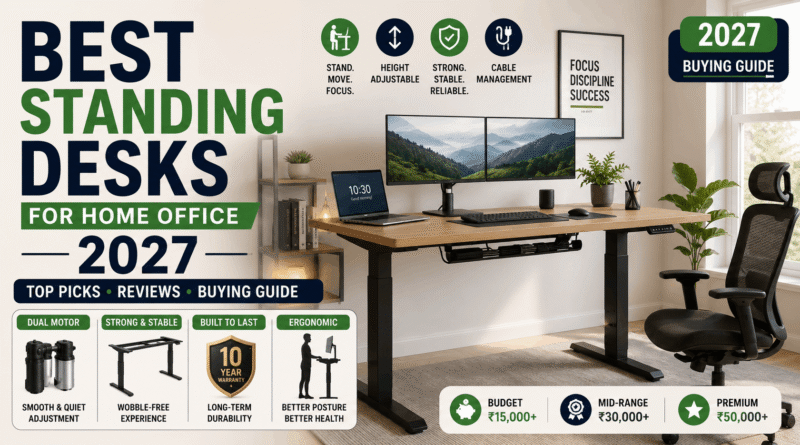
Best Standing Desks for Home Office (2027)
Using a height-adjustable desk is not just about standing instead of sitting. Instead, they can be used alternately. This is largely due to the fact that the real issue lies in remaining static in the same position for long periods—when you sit in the same way for 8 hours in a row, you will be stiff and fatigued at the end of the day. But with a height-adjustable desk, you can avoid this issue and change the position of the desk at least once per hour.
The catch: the standing desk market is enormous and inconsistent, ranging from genuinely excellent dual-motor frames to wobbly $200 desks that turn into a very expensive way to hold a monitor. This guide breaks down the standing desks actually worth buying in 2027, organized by budget and use case, based on aggregated expert testing and owner feedback across the category. (For more home office buying guides, visit our shopping hub.)
What Actually Matters When Buying One
Before the picks, here’s what separates a good standing desk from a disappointing one — and it’s not what most listings lead with.
- Stability at full height, not just weight capacity. A desk can technically hold 300 lbs and still wobble noticeably when you type standing up. This “coffee cup test” — zero wobble at max height with a full mug on the surface — is one of the most telling real-world checks reviewers use.
- Dual motor vs. single motor. Dual-motor desks are meaningfully faster (often 40–60% quicker raising or lowering) and generally more stable at height than single-motor frames, which matters more than it sounds once you’re adjusting several times a day.
- Weight capacity with real margin. If you run a multi-monitor setup, a monitor arm, and other gear, look for at least 300 lbs of rated capacity — comfortably above what you’re actually putting on it, not right at the edge.
- Cable management. It’s easy to overlook until you’re living with a tangle of cords that catches every time you adjust the height. Built-in cable trays are a small feature that makes a real day-to-day difference.
- Warranty length. This is a good proxy for how confident a brand is in its own motor and frame — the strongest options in this category back their desks for a decade or more.
The Best Standing Desks of 2027
- Uplift V2 — Best Overall
The Uplift V2 shows up at the top of nearly every independent testing roundup for a consistent reason: rock-solid stability, a wide height range (roughly 25.3″–50.9″, fitting a broad range of heights), and a 355 lb weight capacity that comfortably handles a heavy multi-monitor setup. Reviewers consistently rate it best-in-class for rigidity — no noticeable sway even at full extension, which is exactly where budget desks tend to fall apart.
What really sets it apart is the customization: over 50 desktop material options, eight frame colors, and multiple column styles, all configured directly through Uplift’s own site. That depth of choice means you can genuinely build the exact desk you want, not just pick from a handful of preset bundles.
The tradeoff: it’s priced at a premium (commonly around $599 depending on configuration), and buying the full configurator experience means going through upliftdesk.com rather than Amazon, where only a narrower set of preconfigured units is available.
Best for: anyone who wants the most stable, most customizable desk available and is willing to pay for it — especially heavy multi-monitor setups.
- FlexiSpot E7 / E7 Pro — Best Value
The FlexiSpot E7 Pro has been termed the best value option in the category of all desks and understandably so. It has a steel frame with dual motors and a load capacity of 440 lbs according to the information on Amazon. The stability level of this desk also beats that of Uplift V2 but the desk costs 33% less than it. It is also equipped with built-in cable management which is very rarely found in other items.
Its downside consists in the fact that it shakes rather more than Uplift at maximum height (although most reviewers say that it is hardly noticeable in practice) and the warranty that is shorter than that of competitors.
Best for : Ideal for the majority of buyers who are looking for a reliable, solidly built desk available at reasonable price.
- VIVO Dual-Motor Standing Desk — Best Budget Electric Desk
Those on a tight budget may find it hard to justify also investing in an expensive stand-up desk, however, VIVO has been able to establish its reputation on the market due to the low price of its 63″ x 32″ dual-motor desk which is offered for as little as $350 and has a weight capacity of about 220 lbs.
The tradeoff: lower weight capacity than premium products in this category, and build quality does not quite match the rigidness of the Uplift or FlexiSpot standing desks when fully raised.
Best for: budget-conscious customers who are still interested in an electric adjustable stand-up desk as opposed to the one that can be adjusted manually.
- Vari Electric Standing Desk — Best Design-Forward Mid-Range Pick
Vari proves you don’t need to spend $600+ to get a well-built desk — at roughly $550, it delivers solid performance and a noticeably polished aesthetic, with a height range of about 25″–50.5″ and a 200 lb weight capacity that comfortably handles a standard single or dual-monitor setup.
The tradeoff: it’s a single-motor design, so adjustment speed is slower than the dual-motor picks above, and the weight capacity is lower — worth checking against your actual gear before buying.
Best for: buyers who want strong build quality and a clean look without needing to max out weight capacity or adjustment speed.
- Fezibo Electric Standing Desk — Cheapest Legitimate Option
For genuinely tight budgets, Fezibo consistently gets called out as offering “surprisingly good features for an ultra-low cost.” It’s a single-motor desk with a 265 lb lifting weight and a 5-year warranty — not flashy, but it functions reliably at a price point where a lot of competitors cut corners that actually matter.
The tradeoff: no cable management, and the splice-board desktop construction isn’t as rigid as the single-piece tops on pricier options.
Best for: first-time standing desk buyers who want to try the format out before committing serious budget to it.
- Fully Jarvis Bamboo — Best for Aesthetics
Jarvis Bamboo boasts a beautiful wooden top, thicker than Uplift’s average offering in the sit-stand desk category, appealing to customers who are looking for a fabulous home office.
The tradeoff: Keep in mind that it is slightly noisier than Uplift and FlexiSpot, and is more expensive than both of them, although it comes with a 7-year warranty, hitting a sweet spot between the budget and luxury products.
Best for: customers who value aesthetics and natural materials, while being satisfied with decent performance.
| Desk | Best For | Weight Capacity | Motor | Starting Price |
|---|---|---|---|---|
| Uplift V2 | Best overall, most customizable | 355 lb | Dual | ~$599 |
| FlexiSpot E7 / E7 Pro | Best value | Up to 440 lb | Dual | ~$479 |
| VIVO Dual-Motor | Best budget electric | ~220 lb | Dual | Under $350 |
| Vari Electric | Design-forward mid-range | 200 lb | Single | ~$550 |
| Fezibo | Cheapest legitimate option | 265 lb | Single | Budget tier |
| Fully Jarvis Bamboo | Best aesthetics | Varies by config | Dual | Premium-adjacent |
Prices fluctuate and vary by configuration, desktop material, and retailer — always confirm current pricing before purchasing.
Do You Actually Need a Standing Desk?
For most people who sit six or more hours a day, yes — with realistic expectations. The real benefit isn’t that standing outperforms sitting on its own. It’s that alternating between the two every 60–90 minutes reduces the negative effects of staying in one static posture all day. If you’re disciplined about actually using the height adjustment throughout the day, a standing desk is genuinely useful. If it quietly becomes a very expensive regular desk you never raise, it isn’t — worth an honest self-assessment before spending $500+.
Who Benefits Most
- Remote workers logging 6+ hours a day at a desk see the biggest realistic gains from alternating positions.
- Multi-monitor setups specifically benefit from a higher weight capacity and dual-motor stability, since sway at height gets worse with more gear on the surface.
- Anyone with existing back or posture discomfort from long static sitting, though a standing desk is a complement to, not a replacement for, addressing posture and ergonomics more broadly (chair quality, monitor height, and movement breaks all matter too).
Common Mistakes When Buying a Standing Desk
- Chasing weight capacity numbers without checking real-world stability. A desk technically rated to hold your setup can still wobble noticeably at height if the frame isn’t rigid — capacity and stability aren’t the same thing.
- Ignoring cable management until after setup. Retrofitting cable trays onto a desk that didn’t come with them is more annoying than choosing a desk that includes them from the start.
- Buying single-motor to save money on a heavy multi-monitor setup. The slower speed and reduced stability at height become a daily annoyance exactly when you’re carrying the most gear.
- Skipping the desktop-separate cost trap. Some premium frames (Uplift included) sell the frame and desktop separately — factor in the full configured price, not just the base frame price, before comparing options.
- Never actually using the height adjustment. The single biggest reason people regret a standing desk purchase isn’t the desk — it’s not building the habit of actually alternating positions during the day.
Frequently Asked Questions
Is a more expensive standing desk actually worth it, or are budget options good enough?
For light usage, choosing budget standing desks such as the Fezibo or VIVO would definitely work. But if you are working on a heavy multi-monitor setup or if you adjust the height often, a high-capacity, dual-motor desk such as the Uplift V2 or the FlexiSpot E7 would definitely become more valuable over time.
How long does it take to get used to standing while working?
Most people gradually get accustomed to standing, starting with short intervals such as 20 to 30 minutes a few times a day, rather than going to their full-time work position.
Do I need a special chair if I get a standing desk?
Not required, but pairing a standing desk with a supportive chair for your sitting intervals gets you the benefit of both positions rather than optimizing for only one.
How long does assembly usually take?
Generally speaking, electric standing desks usually take about 30-45 minutes to assemble using basic tools. However, if you’re dealing with heavier models of desks made from steel frame, such as some models produced by Uplift, you may need extra hands for assembly due to weight of the frames.
Is single-motor or dual-motor the better choice?
Generally speaking, dual-motor desks are faster and tend to be more stable while raised, which is more important when desk’s weight capacity and adjusting frequency get higher. But if you need a desk for light occasional use, single-motor desk is a great option to save money without losing too much in practicality.
Final Thoughts
There’s a genuinely good standing desk at every budget in 2027 — the FlexiSpot E7 for most people who want stability without a premium price, the Uplift V2 if you want the best build quality and customization money can buy, and VIVO or Fezibo if you’re testing the format out before committing more. The real determining factor for whether it’s worth it isn’t the desk itself — it’s whether you’ll actually use the height adjustment once the novelty wears off.
See how these top picks stack up side by side on stability, price, and warranty before you decide.